Website page load speed time is a confirmed page rank factor of the search engines. As SEO professionals, we can’t neglect the significance of it. Google announced its “ Mobile Page Speed Algorithm Update” in January 2018. Websites with high mobile speed were observed to be on the top rank of SERP against the websites dealing with low speed. In order, to achieve and maintain a higher rank on SERP we need to work on attaining high page load speed.
What is Website Page Load Speed Time?
Website page load speed can be defined as the amount of time taken to load and open the web page of the website. The smaller the time your page takes to load the better your website performance and the higher your chance to be on the top of search results while driving more organic traffic to the website.
What is the ideal page load time?
The ideal page load time is less than 2.5ms, still, the time between 2.5ms to 7ms can also be considered good, but, if it takes more than 7ms then you’re in great trouble. In other words, it means your web page should load even before the blink of an eye.
What are the different metrics in page load time?
- Time To First Byte: It is the measure that counts the time taken by the browser or mobile device to find the first response from your server after a user clicks on the website.
- First Contentful Paint: It is a measure that counts the time taken to present the first element of the page in front of the users.
- Onload speed time: The time involved in completely loading a page.
What are the core web vitals for page speed insights?
- Largest Contentful Paint (LCP): It calculates the loading performance of the website, the ideal rate of LCP should be between 2.5 seconds.
- First Input Delay (FIP): It calculates the interactivity of the pages to provide a good user experience, FID should be less than 100 ms.
- Cumulative Layout Shift (CLS): It calculates visual stability that helps to report how often the users experience unexpected layouts. It is ideal to have as low as CLS as possible.
How is page load speed measured?
It is calculated from the time a user presses the link or types the address on the browser up to the time it takes to show all the elements of the page.
Why page load speed is important for SEO?
The following are the reasons mentioning the importance of page load time:
- To reduce the bounce rate.
- To drive more organic traffic to your website and Click-through rate.
- To be better than your competitor.
- To rank high on search engines.
What are the reasons for high page speed time?
- Poor Hosting Server Company.
- Poor Coding.
- Note using Browser Catching Technique.
- Not optimising images and videos.
- Too much usage of HTML, CSS, and Javascript files.
How to optimise page load time?
- Use a good quality hosting server
- Use of browser-catching technique
- Optimise the images and videos by compressing them.
- Reduce the redirects.
- Optimise the coding.
- Make use of CDN (Content Delivery Network)
Website Page Speed Analyser Tools
Page speed insight is uncomplicated, and free which gives instant reports about the web page speed you need to analyse. All you have to do is insert the URL in the box and press analyse. You will be shown a report with the date & time mentioned, and the result for the type of device (desktop or mobile).
Page speed insight will provide you with a detailed audit of the different measures it uses to calculate the speed time. They will then diagnose the performance issue of the website and rate them in 4 different bifurcations: Performance, Accessibility, Best Practices and SEO. Below it will give you some suggestions for better page speed.
Screenshot of the report displayed by Page Speed Insight
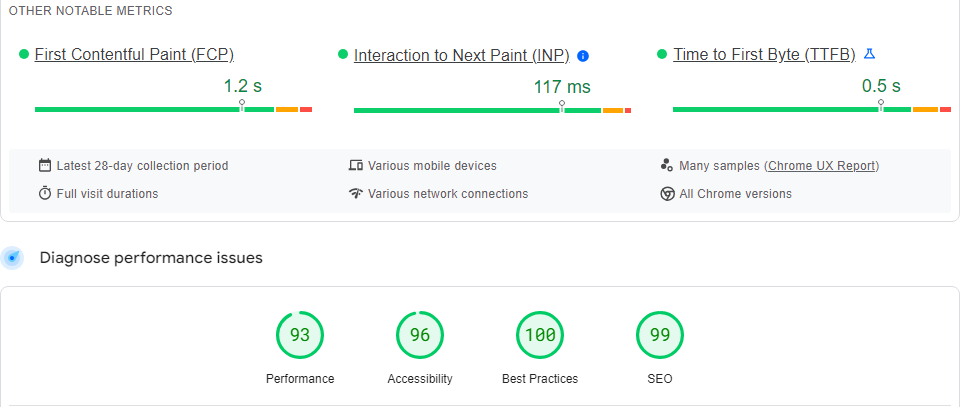
Screenshot of Performance report by Page Speed Insight.
Pingdom provides a cost-effective and reliable website speed and performance monitoring service. They use 70+ polling locations to test and verify the website’s performance. Their tool is organised in such a way that even a novice can able to handle and operate it.
Screenshot of Pingdom Speed test tool
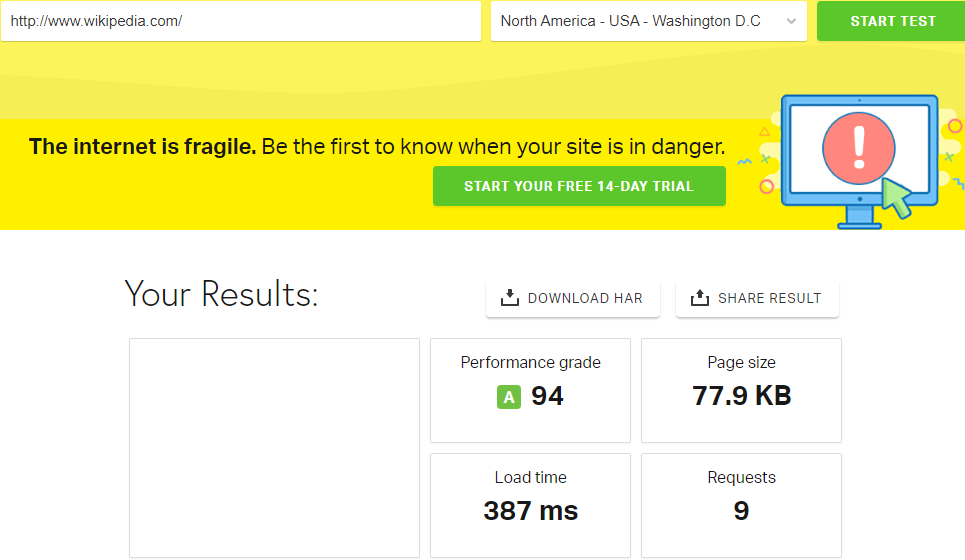
To test your website speed you need to create a free account and get a strategy to improve the performance. GT Metrics tool pinpoints the problem on the page and suggests the necessary actions to be taken to solve it. With the GT Metrics speed audit tool, you can monitor and track performance changes, with 15+ global locations, but for that, you need to sign in for GT Metrics PRO.
4. Web page test
Web page speed is another free tool to analyse the speed of a website, but to save the report you need to register and create a free account. It may take a while to audit your website based on the overall performance and problems inside it. To use the Web Page test you need to enter the URL and select the country and submit it.
It will display the report on the country of origin, the network used, the browser used and the date & time of the audit. In the view option, you can select a particular section of the report to analyse. It will show you a summary of the performance of the website and suggestions to improve it. Below the summary, it will display the metrics of your website performance in comparison to the real-world metrics to make you understand the areas for improvement.
Screenshot of Web Page Test report for speed test.

5. Site 24 ✖ 7
Site 24✖7 is fast with quick results and an uncomplicated tool to check the load time of the website. Just need to enter the website and select the region with the country e.g. Mumbai, India. After inserting the website within a blink of a second the report will be displayed in front of the screen. In the report, you’ll get a glance at the Response time summary, Webpage summary and Page speed insight.
Screenshot of the audit report of Site 24✖7.
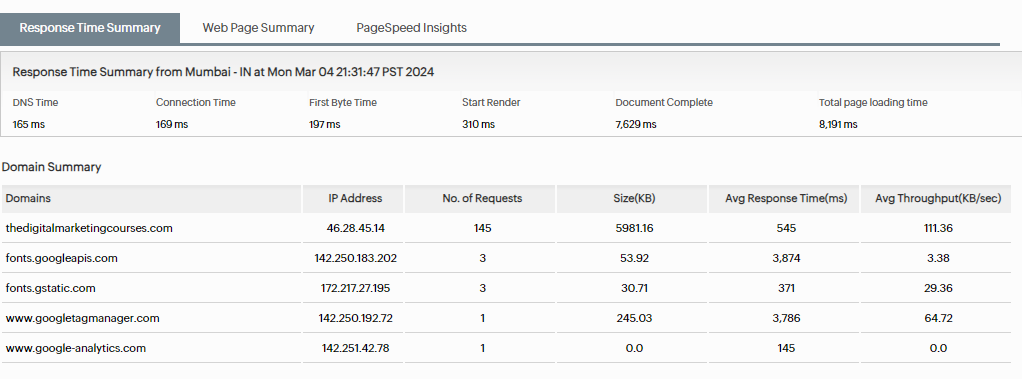
6. Key CDN
Key CDN is another user-friendly and quick tool, where just by inserting the URL and selecting the location you can get the test result.
It will display the performance grade with some infographic reports about the different metrics below and it will show a detailed explanation about each element of the web page.
Screenshot of performance analysis by Key CDN
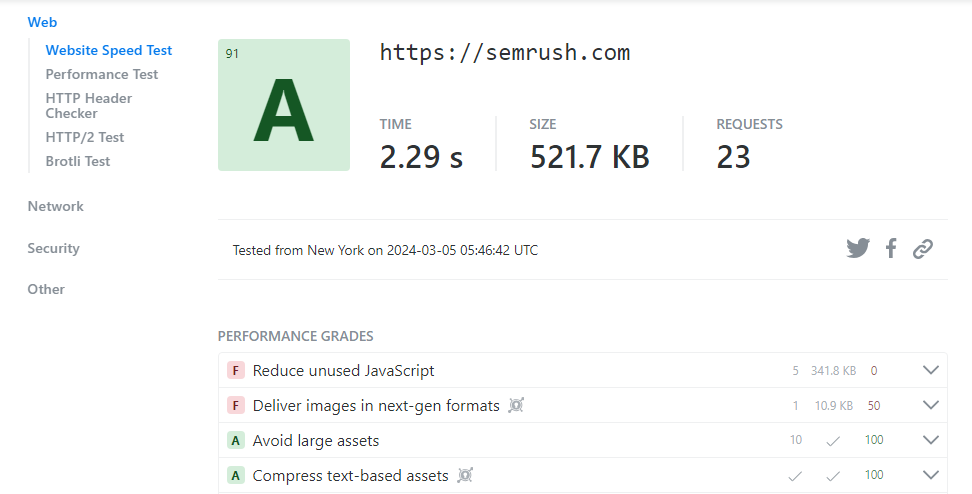
7. Uptrends
Uptrend provides you with automated web performance testing which makes it easy to get started to improve and maintain the speed of your website.
Features of Uptrends
- You can test your website 24/7.
- You can check the website speed from your user’s location.
- Get an update on the daily web performance report.
- Point out the errors within your website before your audience does.
- Receive notifications whenever your website is slow
- Analyse your website uptime speed.
Screenshot of Uptrends displaying the analysed report
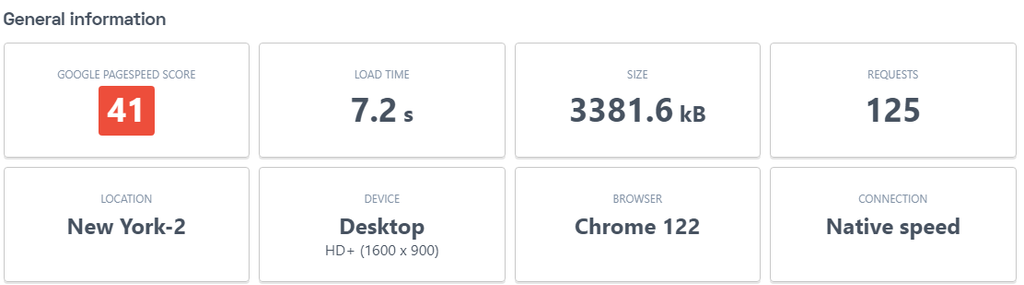
8. Speed Vital
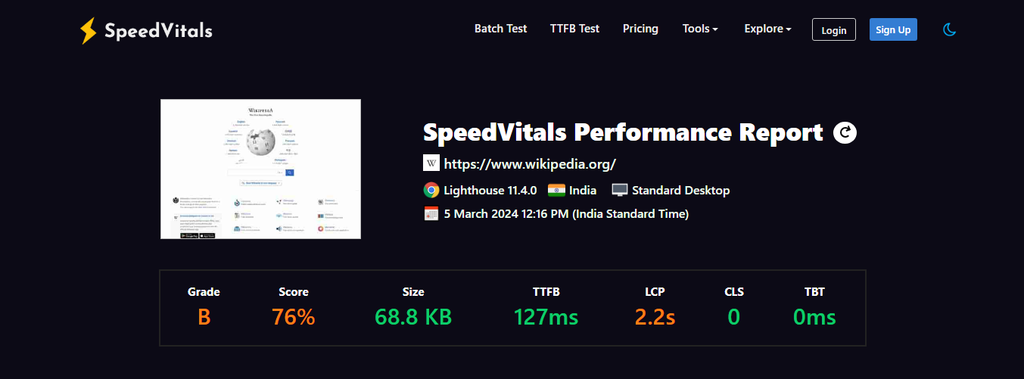
Speed Vital uses Web vitals measures to calculate the page speed with performance assessments and tips to improve that can pass Core Web Vitals. It has a batch-test mode to analyse bulk testing and a TTFB test that measures server response time across 40 locations. Speed vitals make the result more predominating as they allow you to select particular test locations and devices.
Screenshot of Performance assessment done by Speed Vitals
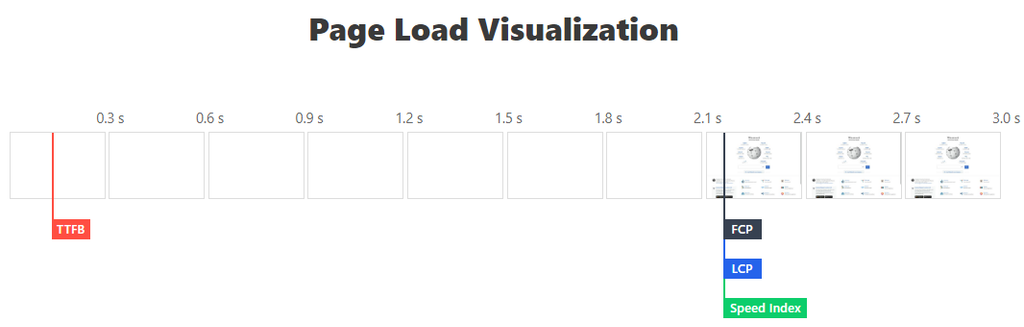
Screenshot of Page Load Visualization done by Speed Vitals.
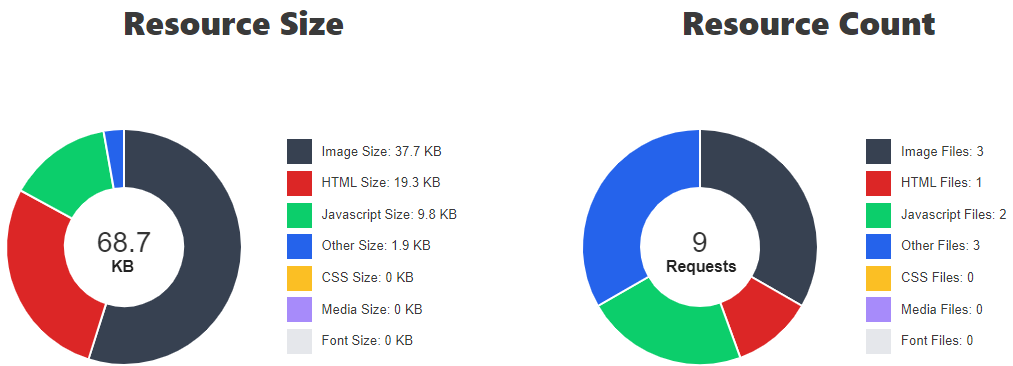
Screenshot of Infographic Report done by Speed Vitals
9. Gift of Speed
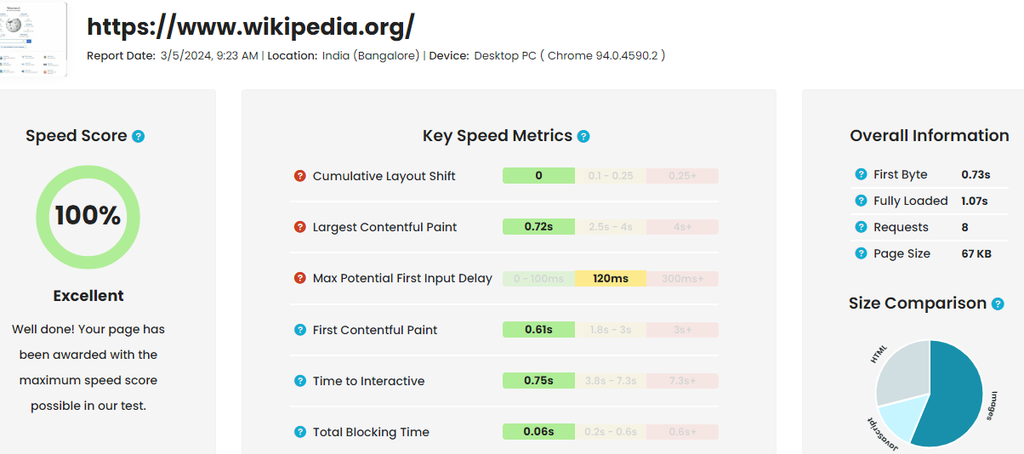
If you’re looking to optimise your page speed then Gift of Speed is the best tool available with a free site speed analyser and a quotation for website speed optimisation service. Gifts of Speed is a team of page speed experts. They provide quick speed audit & website speed optimisation service results in 1 to 2 working days, 100% safe and with affordable packages.
To use the tool you have to place the URL in the insert box and select the country & device. After inputting the webpage Gift of Speed will break down the page element into size and request breakdown. Below that they’ll display the top five slowest local and external resources and at last, they will alert you to the issues inside the page.
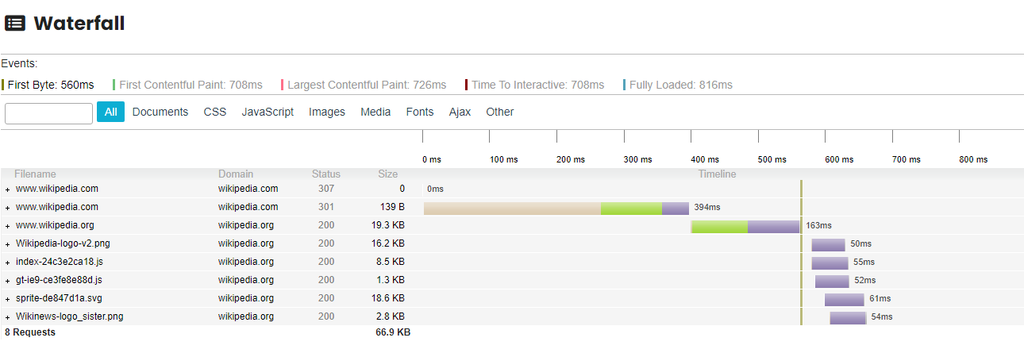
Your report can be displayed in a beautiful waterfall structure where you can filter your report according to your wish.
Screenshot of Gift of Speed Report Presentation
Screenshot of Gift of Speed Waterfall Presentation of Report
10. Load focus
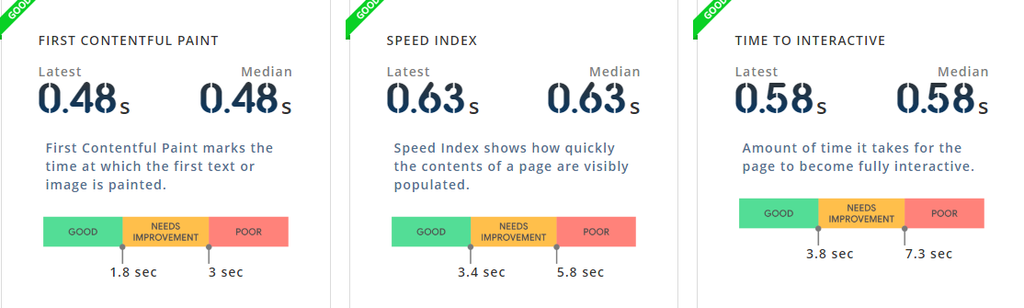
Load focus provides an easily adaptable interface so that even a non-technical person can analyse and pinpoint the areas to be worked on. They go beyond standard lab tests and reveal the essential Google metrics which are an integral part of understanding how the website is performing concerning SEO and UX (User-Experience) point of view.
According to Load Focus, 85% of webmasters prefer them over other tools for accuracy and comprehensive presentation of overall performance metrics. To use the Load focus speed audit tool you need to put the URL address in the box.
Screenshot of Speed Focus’s overall performance assessment report presentation
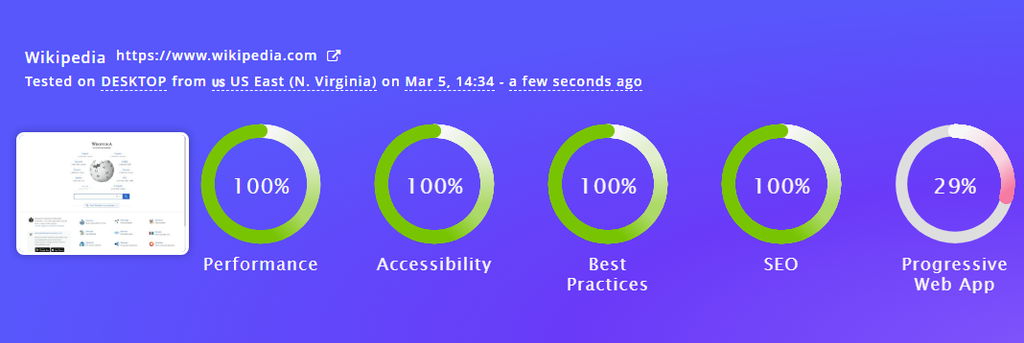
Screenshot about Presentation of Bifurcation based on Different speed metrics
11. Debug Bear
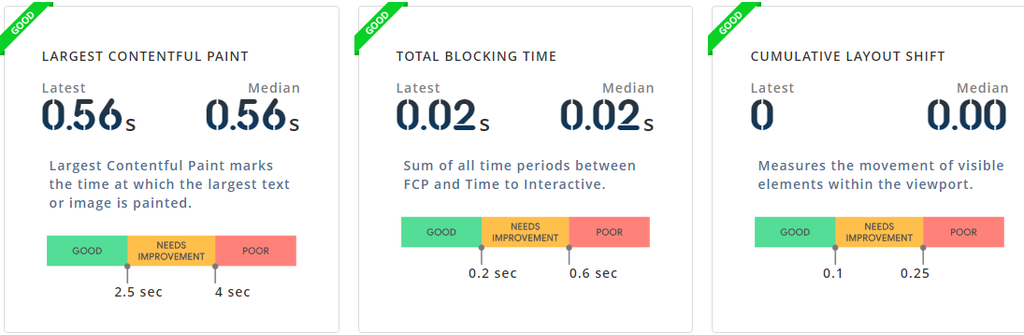
Debug Bear shows you the Real-User metrics and detailed data so that you can improve your website speed. They collect data through real throttled connections to provide you with the most accurate report. You can keep track of how frequently your metrics change over time with a paid Debug Bear account.
They also provide Advanced Lab Tests from 20 different global locations. Additionally, you can keep track of real user data and analyse how visitors experience your website so that you can further work on its improvement.
Debug Bear provides free site audit reports but for additional features, you have to pay for them.
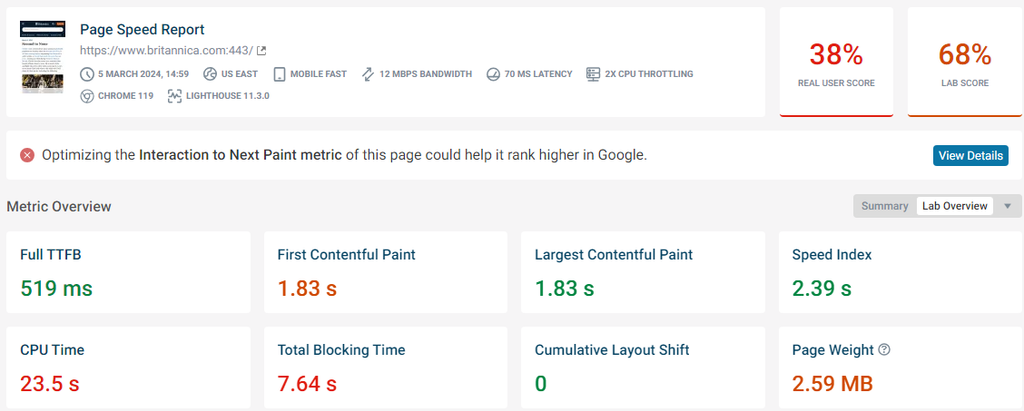
Screenshot of Debug Bear speed test report
12. SEO Mator
The SEO Mator speed analyser tool allows you to test the speed across the globe by using different browsers and network connections.
Conclusion
In today’s ever-changing and fast-growing digital world website speed has become an integral part of the SEO world. As it is a bit technical part, it becomes complicated to understand what are the areas of problems and how to optimise the website. Here we can take help from the tools available to Track. Monitor and Optimise the website. Make sure to visit the tools to transform your website to a better extent.