Free Keyword density checker
In the SEO realm keyword research is the principal step to optimise the website. When the SEO industry was evolving it was a common misconception that the more keywords on your website the higher your chances to rank on SERP. Keyword density was one of the ranking factors. Hence, it gave rise to the unnecessary use of keywords i.e. keyword stuffing. Keyword stuffing is the process of overly and repetitive use of keywords to deceive search engines and rank top on the SERP. Keyword stuffing became a common process among the “Black Hat SEO” to manipulate the ranking of the website.
When the search engines became aware of the concept of keyword stuffing they started penalizing the websites by introducing algorithms such as “Panda” which was introduced in the year 2011 to penalize websites with thin, duplicate content and keyword stuffing.
What is keyword density?
Keyword density is the percentage of the number of times your keyword appears on the webpage in comparison to the total number of words.
keyword density=Number of time keywords used/ Total Number of Words ✕ 100
Why is Keyword Density Important for SEO?
As we discussed above, Google and other search engines started penalizing the websites that tried to manipulate their ranking by using unethical measures, to avoid that, we need to keep track of the frequency of keywords used in our content. The Panda algorithm update roughly affected 11.8% of the websites that tried to manage the ranking by using keyword stuffing.
The shift from keyword density to keyword relevance
When the search engines started taking strict actions towards the unethical, manipulative technique SEO professionals stopped using Keyword density as a ranking factor. They understood that ranking high on SERP is more than just using keyword density, keyword relevance also plays an important role. User search intent and content relevance became the new ranking factor of the search engines.
What is the importance of keyword density checker tools for SEO?
Keyword density checker tools give an idea about:
- To avoid Keyword stuffing.
- Competitor’s analysis of keywords by checking the most used keywords.
- To get an overview of the usage of keywords.
What is the ideal per cent of keyword density?
There is no such absolute answer to this question because it depends upon the length of your content. It’s ideal to keep the density per cent as low as possible aiming for 1 to 2%.
Keyword Density Checker Tools
SEO Review Tool is a user-friendly, quick and easy-to-use tool where you just need to mention the URL of the webpage you want to check the density for and perform a check. It’s a free tool and can be used multiple times without the fuzz of signing up and logging in.
You will get the result of keywords, the frequency of keywords, keyword density and keyword options where you can get options like performing keyword research, getting search volume, getting featured snippet suggestions, checking rank and writing SEO-friendly content. If you want you can also exclude the keywords you want.
You will be shown the result based on the length of the keyphrase like the one-word phrase, two-word phrase, etc and will get a maximum of 10 results per phrase.
One-word phrase result for Google
In this way, you’ll get results of different lengths of keyphrases.
At last, they’ll point to the keywords with the highest keyword density.
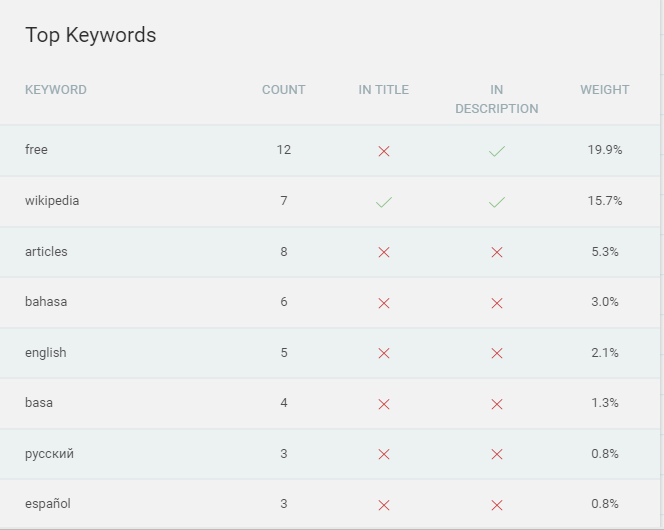
Another free keyword density checker is SEO Mator which is easy, convenient and fast. You just need to enter your URL and submit it. You will be shown results on the top keywords on the web page, their weightage, whether they are mentioned in the title and description and the count of the keywords.
The screenshot given below shows the keyword density for the website Wikipedia’s homepage.
As mentioned above, SEO Mator will estimate the keyword density of the particular webpage.
To use Check SERP you have 2 options: to input the URL or the text content. You will be given the setting option to filter your requirements such as a stopword list, to customize the stopword list, minimum length of words and limit of the results. After filling in the basics requirements you get the list of details mentioning the keywords, their frequency, the density, and whether the keywords are mentioned in the title and descriptions tag. You can further filter the results based on the length of the keywords.
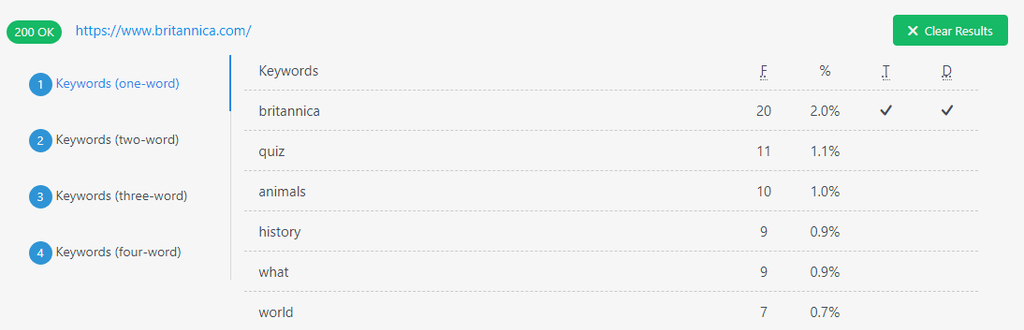
In the screenshot above, as you can see I have used the Britannica site homepage as an example to check the density.
As the name suggests Simplified SEO Tool is simple, easy to use with a fast result tool. It will display the information on the keywords used, the keyword count and the percentage.
Pros: Simple, easy, free, no signup or log-in needed
Cons: It doesn’t provide the filter option to sort the keywords.
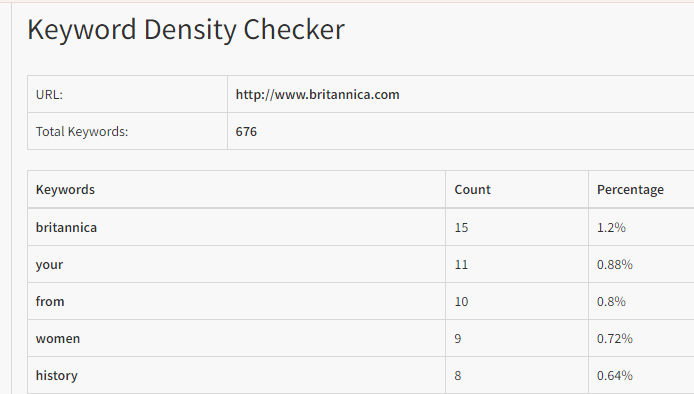
Johanneslarsson Keyword Density Checker tool will show you results for up to four-word phrases. All you need to do is insert the URL or the content you want to check for and within a matter of a second, the result will be displayed in front of you.
Pros: Fast, fuzz-free, user-friendly
Cons: It doesn’t have the sorting option
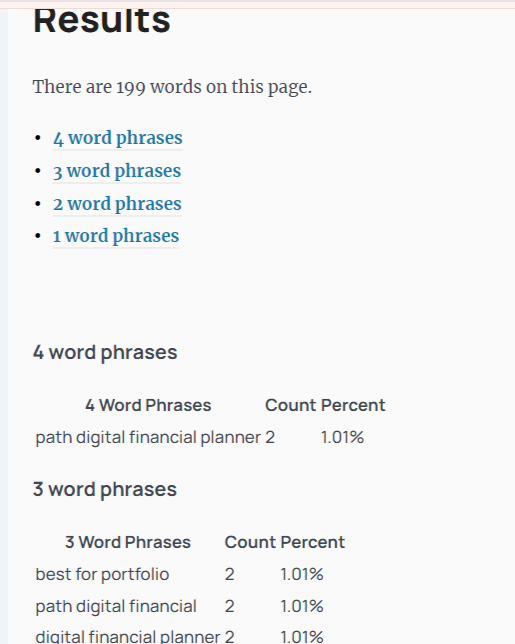
The Scalenut keyword density checker tool helps you avoid over-optimisation of the content and potential penalties by analysing the frequency and density of the content. It is a free tool that can help you attract organic traffic to your blog which in turn will increase the website’s visibility and ranking.
Pros: Gives separate sections for different lengths of keyphrases, provide additional information such as competition, CPC, Description
Cons: You can’t use it for unlimited time, for deeper or more analysis you need to sign up for their website.
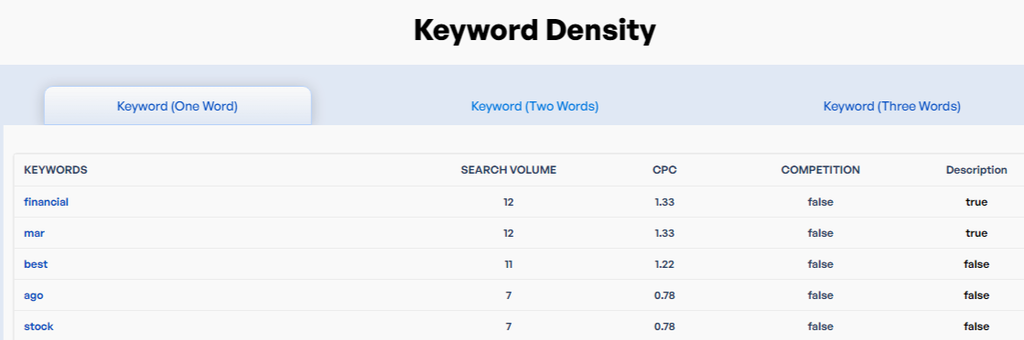
WP beginner provides you with a second hand to find the most optimised URL or content in easy steps just by entering the URL OR content. It will show you 10 separate results for each type of keyphrase. In case of high keyword density, it will highlight the keyphrase and show you a warning sign.
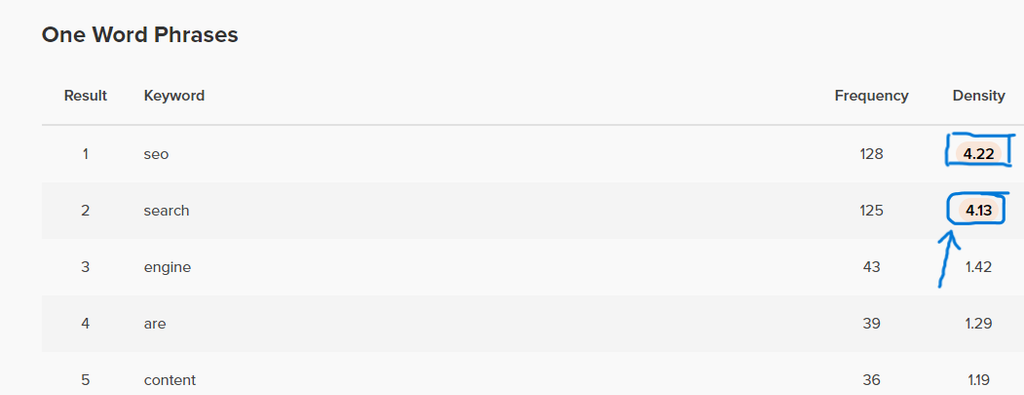

Another site is Duplichecker which is a free and yet quality-assured tool. All you need is to enter a valid URL or content(text) and submit it. You will be provided with other filter options that can be used according to your requirements. In the result, you’ll get the display of the keywords used, their count and their density. You can then re-optimise your website if any error is found.
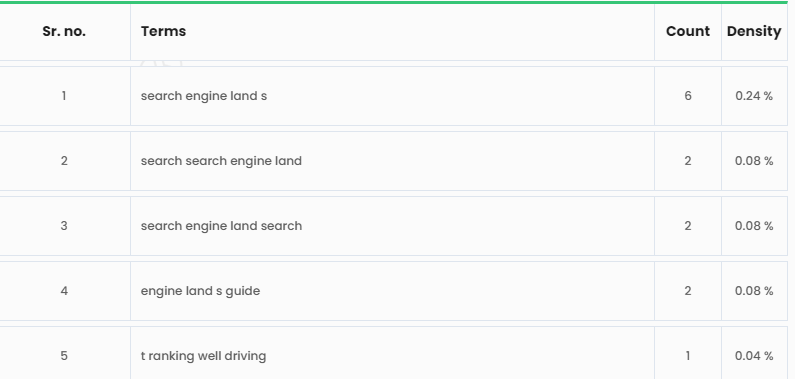
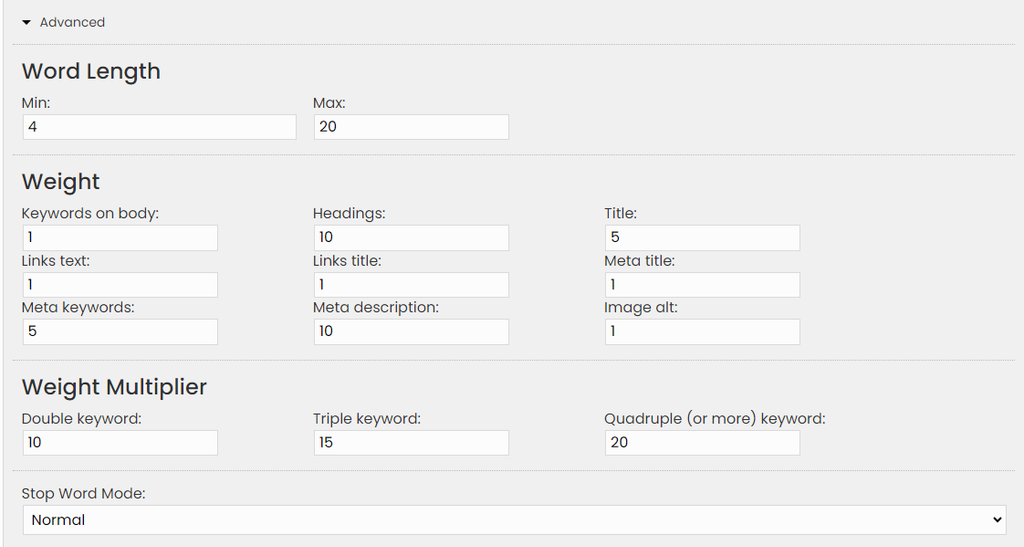
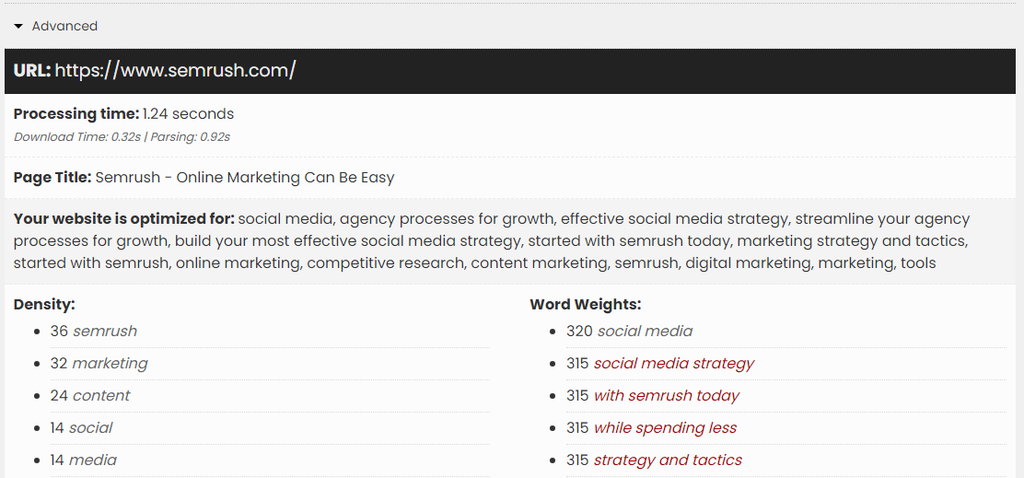
Geo ranker is the most helpful tool with advanced settings available for extra parameters to filter the result as per our requirements. We can set the number of keywords that should be eliminated; weight multiplier; and weight on different sections of the web page such as body, Heading tag, meta tag, link text, and many more; minimum and maximum length of words and density
Georanker will show you an unlimited number of results as per the advanced setting you have set. You can use it without any charges and fuzz.
Screenshot of advanced setting parameters

A quick glimpse of the result shown by Georanker
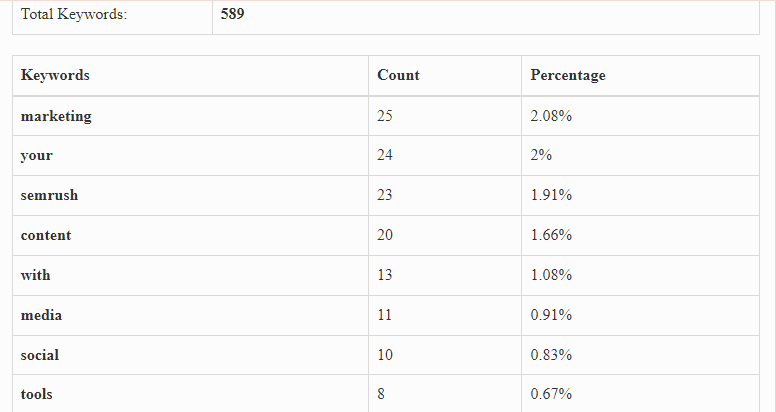
SEO Magnifier tool works on simple basics where you can get the exact value of keywords volume used in the web page. The result is provided within the blink of a second with 100% accuracy. It is a free tool with simplicity and feasibility. To use SEO Magnifier all you need to do is enter the URL, solve the captcha code to verify and press submit button.
Final Thoughts
Keyword density is one of the major parameters that we SEO professionals should use meticulously to rank our websites. As there are no absolute guidelines for density it is advisable to keep the keywords frequency no more than 1 or 2 times in a text that has 150 to 200 characters. The more length of your content the more attention you need to keep on for tracking the density. Make sure to use LSI Keywords to avoid the repetition of words. Do visit the site and choose the tool that is perfect for you and your requirements to get a helping hand for better analysis and working on content.