Meta tags are the tags or data that give information to both search engines and audiences (traffic) about what that webpage is related to. There are many types of meta tags but here in this blog, we will be discussing Meta Titles and Meta Descriptions, which play a crucial role on Online platforms as it’s the first things that the traffic notices about your website. For SEO Meta titles and descriptions are the medium to reach the right targeted audiences. Strong meta tags increase the chances of click-through rates and further chances of conversion rates. The more catchy and informative meta title and meta description of the website the more chances of attracting organic traffic.
What are Meta tags?
Meta tags are the HTML tags in the head section of the HTML file, meaning they won’t be seen in the body or on the main page of the website. From an SEO point of view, it’s important to optimise meta titles and meta descriptions and make it search engine-friendly. There are certain limitations to the length of the meta title and meta description tags. Earlier it used to be 50-60 characters for the title tag and 155-160 characters for the description tag. Now the rules have changed and more than length it’s the pixel of the character. However, the search engines won’t penalize you if your title and description tag is of more length but your tags won’t be shown completely.
Syntax of meta tags
<head>title</head>
<meta name=”description” content=”Description of the page”/>
How important are the meta titles and meta descriptions from an SEO point of view?
Meta tags are important because they play the first step in connecting the user and the website. It becomes a difficult challenge to describe everything in that shortage of length. But as an SEO professional, we have to do a pretty good job of describing most of the things in that short length.
What is the process to optimise meta titles and descriptions?
Following are the steps to optimise the title and description tags:
- Use unique, relevant and descriptive keywords in the title and description tags
- Use unique or different keywords on every different webpage to avoid keyword cannibalisation.
- Make sure the titles and description tags are under their limits.
- Make it catchy and descriptive to give a rough idea about your web page.
- Enbuild urgency to click on your website.
- Add call-to-action.
Why is it important to use meta tags generator tools?
As we discussed above, it becomes difficult to optimise the titles and description tags under their limitations. By using the Title Tag and Descriptions Tag generator tool we can get an idea about how our Title and Descriptions Tag will be seen on SERP.
Now that we know what meta tags are and how important they are let us see the different tools that will help to generate them.
Typli is an AI-powered description writing tool to gives you unique, fast and SEO-friendly descriptions for blogs, articles and website content. You just need to insert the topic and keywords you want in your description and press on generate. You can get 1000 different ideas on that topic but you have to sign up for their website. You can also copy the results given on the website.
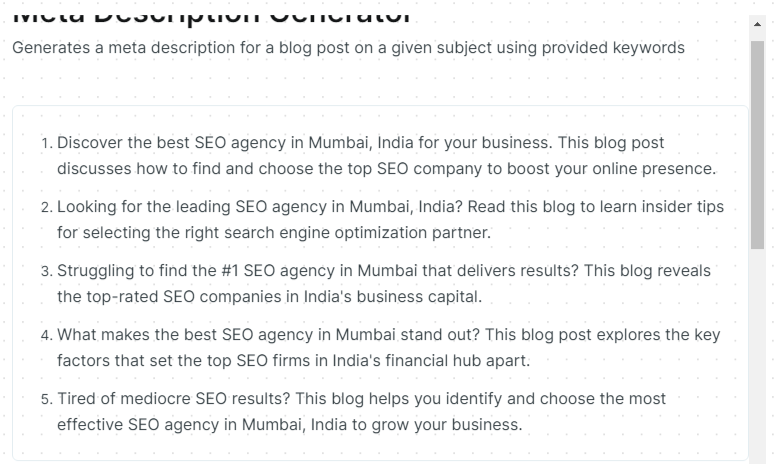
Copy is another AI-powered meta description tool just like Tyli where you just need to insert the topic name and the keywords to need in the description and then Copy will show you a list of different descriptions for the topic you inserted.
Optimo is another AI-based meta title and description generator where you can get unique ideas just by inserting your niche topic in the insert box. It’s a good tool because it has features of both meta tags. It’s 100% free and can be used as many times as you want. According to Optimo, more than 2500k+ people are using Optimo AI-generated tools for hassle-free, easy-to-use and fast results.
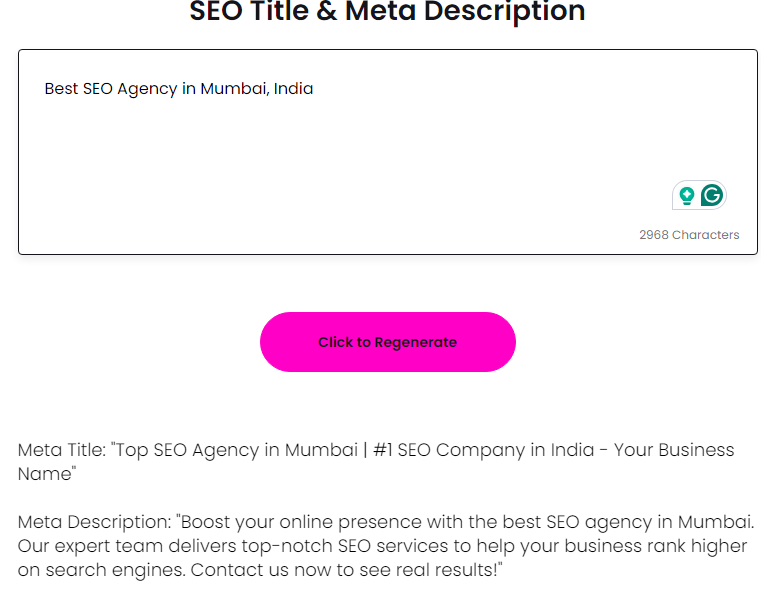
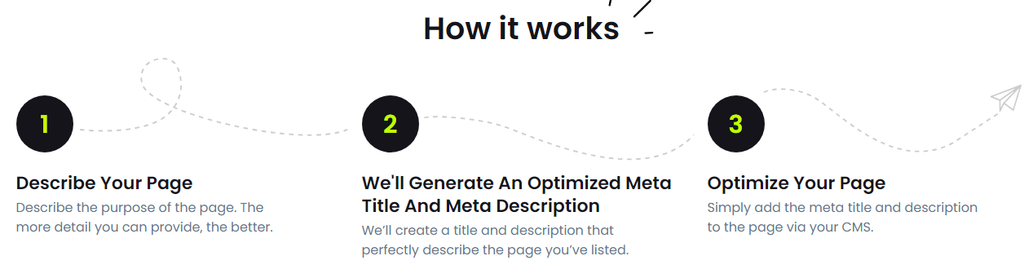
If you’re looking for a fuzz-free tool with instant results Fatijoe is a great tool for you. Save your time and trouble with an AI-automatically generated meta title and description for yourself or your clients. It’s completely free and no signup or login is required.
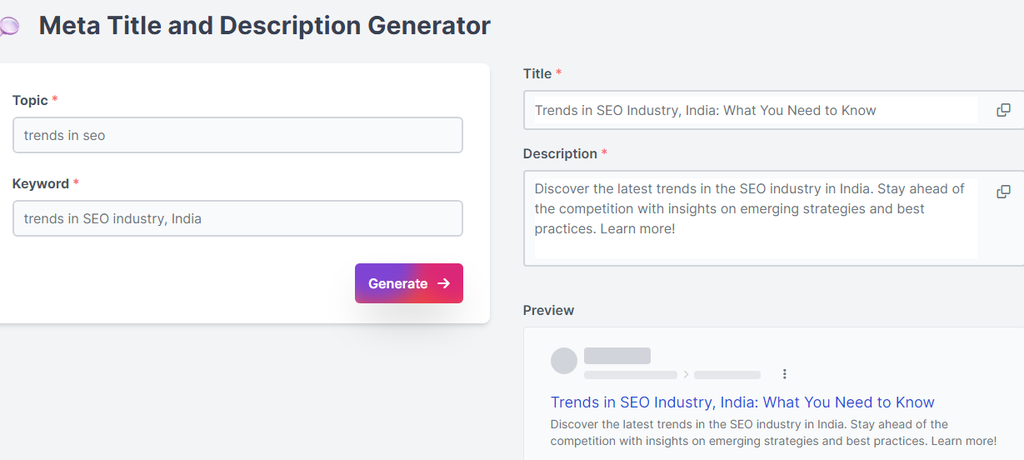
If you’re wondering how your meta title and description will be shown on SERP then look no forward and visit Wittypen because generating a meta title and description will show you the preview of the result. It’s completely free and no signup or login is required also you can use their tool as many times as you want.
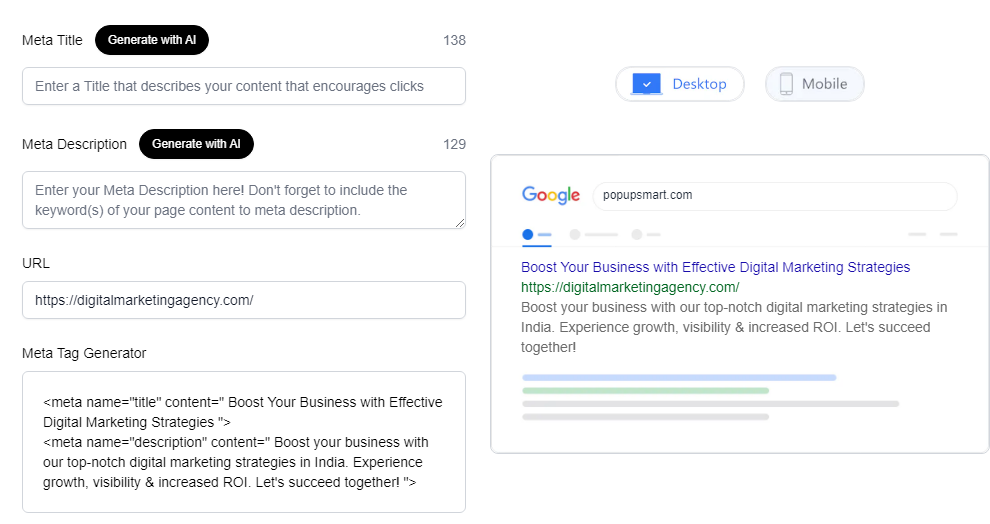
Another cool tool to generate the meta tags is Popupsmart where there are options for:
- Either create a meta title and description by yourself or
- To create it with their AI tool
Just insert your keyword in the meta title and description search box and get a preview of how it will look in SERP, also you can insert your website. It also generates the syntax of meta tags so that you can just copy and paste them into the head section of your website. In addition, you can also see how the result will be seen on different devices.
7. Highperformr
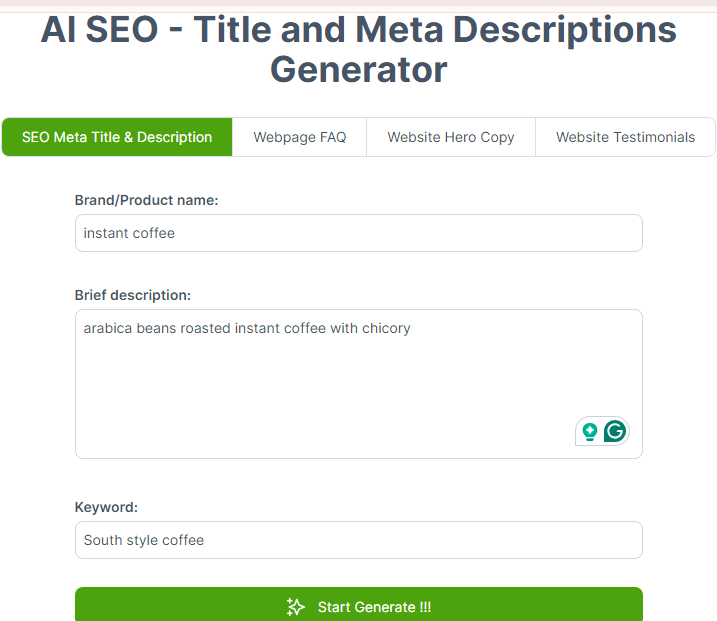
Another Fuzz-free tool is Highperformr designed for SEO to drive high performance. It can be used in 3 easy steps:
- Insert your product name with a brief description
- Insert the relevant keywords you want in your title and description.
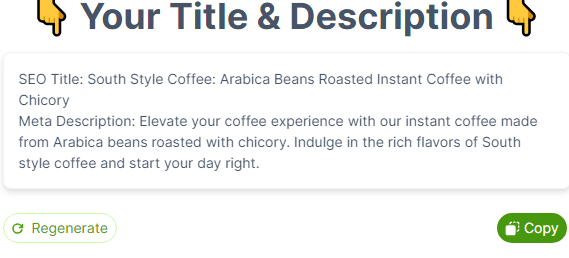
- Click on Generate. You can also regenerate it unless you find it perfect for you.
It’s completely free and no signup or login is required with no limits on usage.
8. Hootsuite
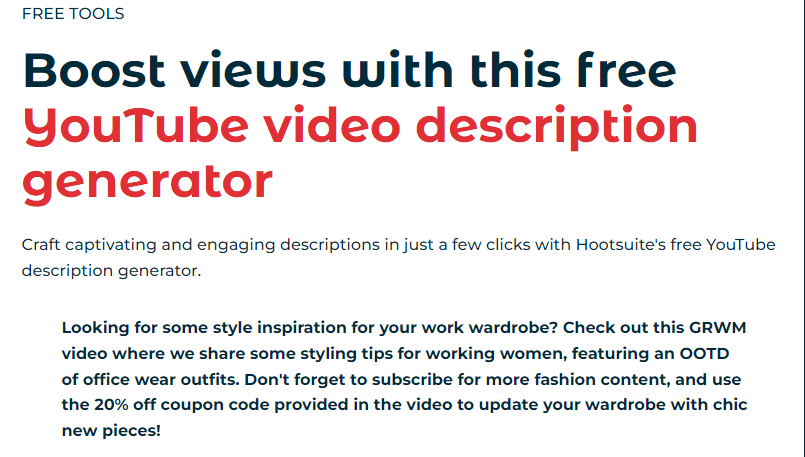
If you’re a YouTube SEO or working on a video client website video description is important. Wondering how to find a good video description tool? Then your hunt has stopped! Hootsuite is a video description generator tool to boost your YouTube video views. It is powered latest version of ChatGPT and uses Natural Language Programming (NPL) for far-reaching YouTube descriptions. You can use it to make YouTube vlogs, streaming, music videos, education videos, etc. It’s completely free but to generate more ideas you need to sign up for the website.
To use Hootsuite you need to follow the steps given below:
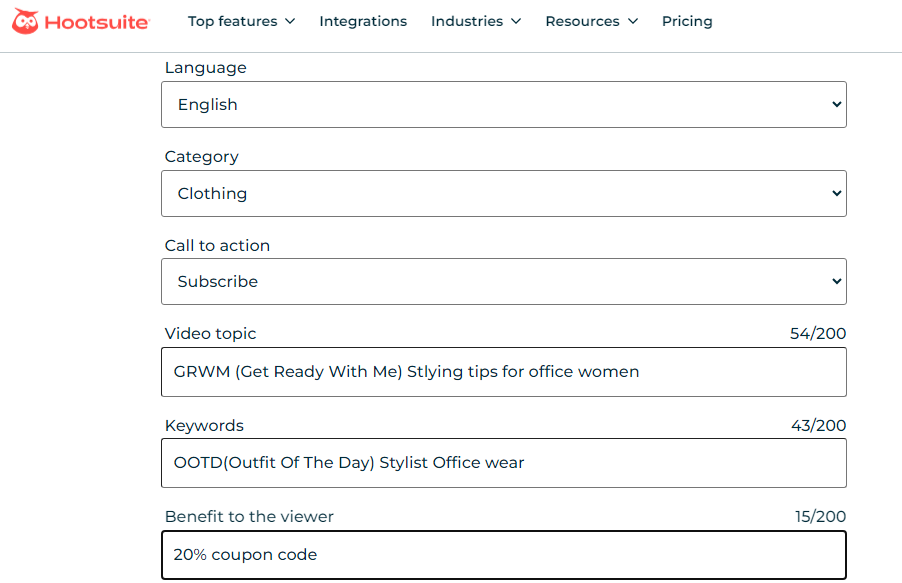
- Select the language (By default there are 5 languages: English, Spanish, French, German and Italian)
- Select the category of the video (like clothing, cooking, education, daily vlog, entertainment, etc)
- Add call to action (like subscribe, like, watch now, etc)
- Describe your video topic
- Add the keywords
- Mentain the giveaway (if applicable)
For reference, I have given a sample of how to use it.
9. Ahref Title and Ahref Description Generator
Ahref has two different web pages for meta title and description generators. Ahref provides you with so many different features and options available to choose from. To use Ahref you just need to insert your targeted keyword in the insert box, select the language you want, the title types like How to; listicles; questions; and others, select the tone like formal, friendly, etc and press generate.
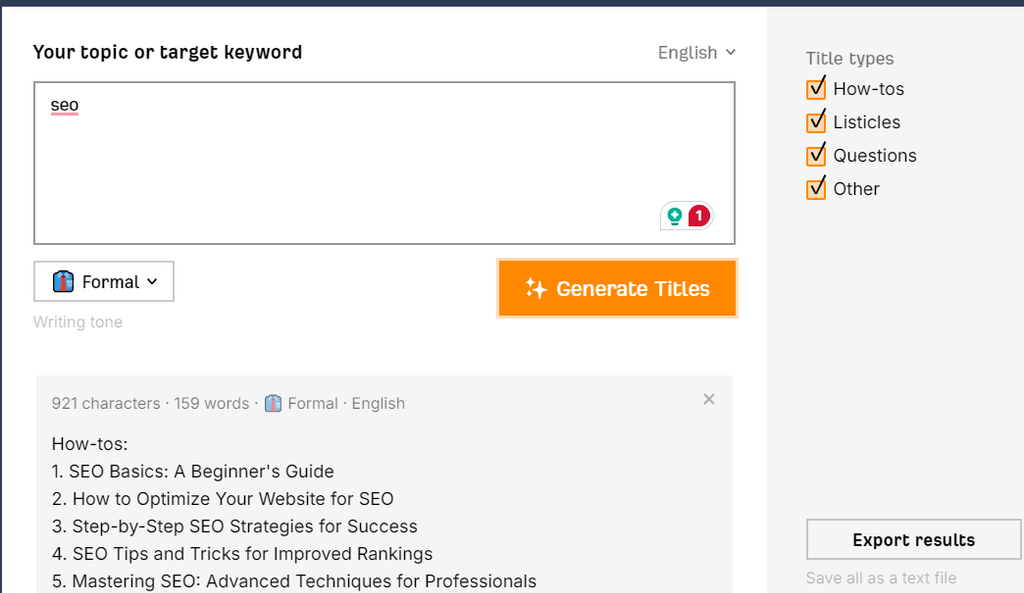
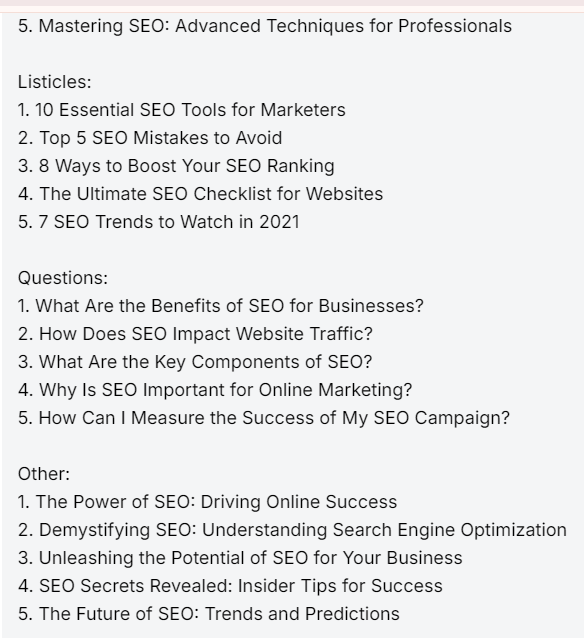
As you can see above Ahref has done a wonderful job in suggesting titles in different title types.
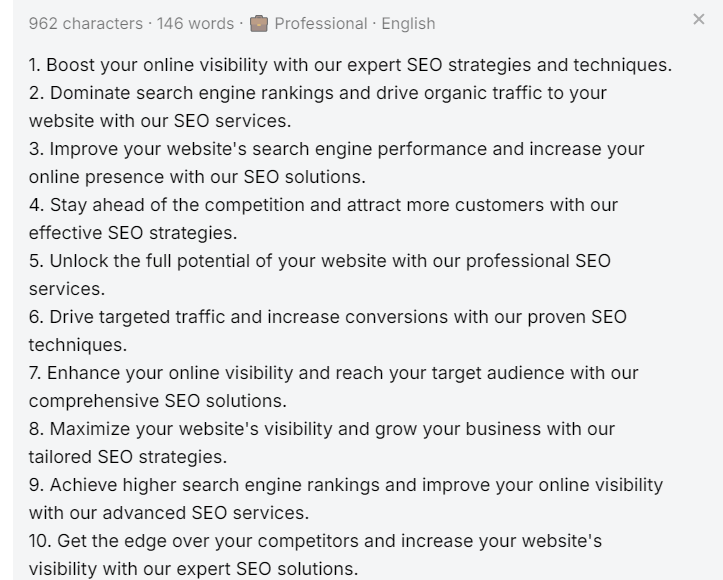
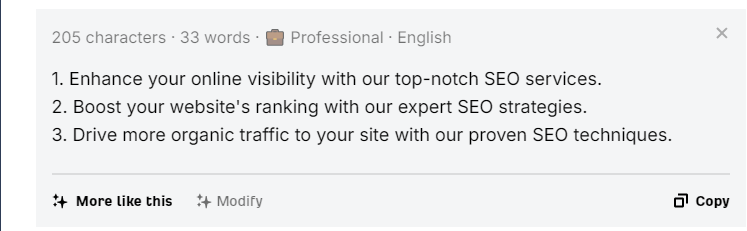
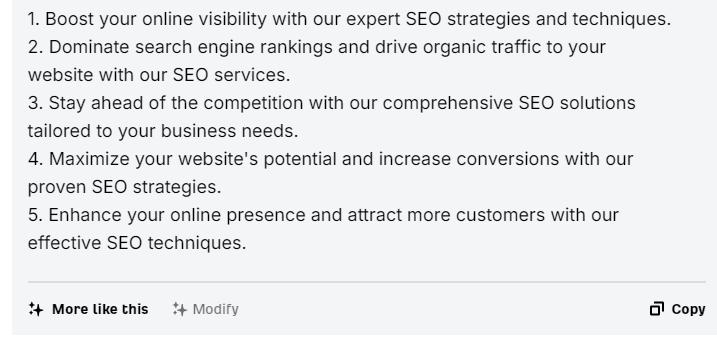
Just like the title generator, the description generator too has the same features but a slight difference is that instead of title types, it has 3 different variants: 1 variant, 3 variant, and 5 variant.
For better understanding, I have mentioned screenshots of three different variants.
Variant 1
Variant 3
Variant 5
10. AISEO
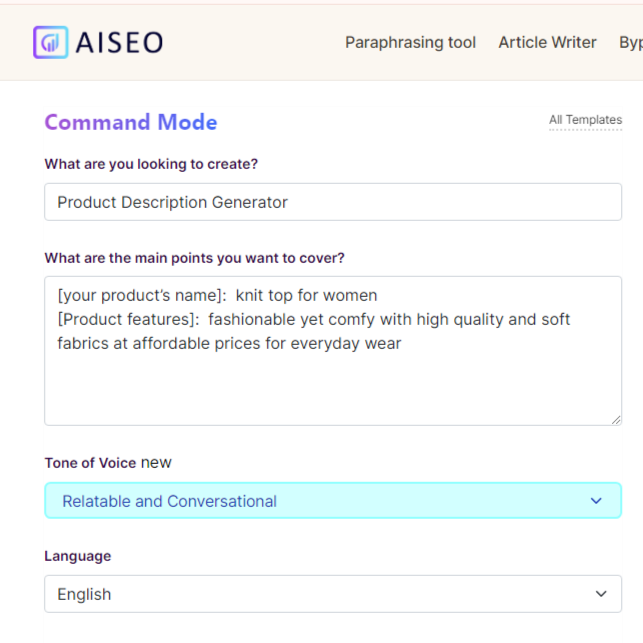
If you’re working on an e-commerce business giving a title and description to each category can be a very complicated job. AISEO will help you to reduce your workload a little bit by suggesting AI-generated product descriptions for your or your client’s e-commerce business. It’s a very good tool with various features. The good thing about it is you can edit the description suggested by the tool in the edit box or you can just copy the description given to them. To use AISEO you need to fill in the required details like:
- The type of generator
- The product name and the product feature
- The Tone of voice you want
- Language
- Keywords
They will provide you with a list of suggested descriptions. If you like the suggested description you can just copy it or you can even edit it or create a new description in it.
Information Screenshot
Suggested Description
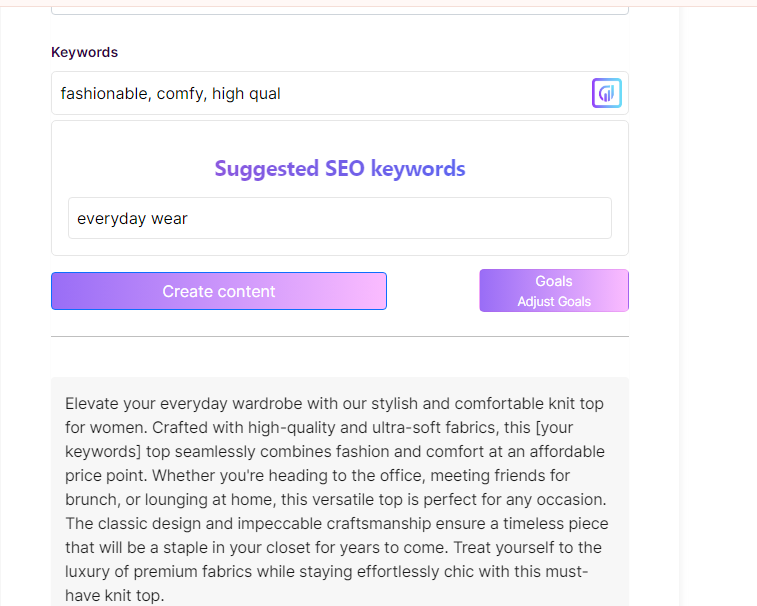
Edit

Conclusion
I hope the mentioned tools will be helpful for you. I tried to mention different types of meta titles and description generators in this blog. Keep in mind to overuse the tools and be dependent on them. I tried to mention the sites that don’t have a lot of fuzz of signup, login, etc and can be used easily, but they can have their limitation.